Showing posts with label 2. Show all posts
Showing posts with label 2. Show all posts
Wednesday, November 19, 2014
Samsung Galaxy Mini 2 Full Shorted Solution Jumpers

Samsung Galaxy Mini 2 Full Shorted Solution Jumpers
Samsung Galaxy Mini 2 Full Shorted Tested Solution
Samsung Galaxy Mini 2 Full Shorted Problem Solved

Wednesday, September 10, 2014

Saturday, September 6, 2014
News Volcano Box 2 3 8 Last Update Free DOWNLOAD

!! HAPPY DIWALI !!
How To Use Volcano Android Tools
Whats new ?
Added Volcanoboxs Android Tool !!
ADDED Simplify MTK and SPD rebuild IMEI
ADDED Simplify MTK and SPD USB operation(No need to choose Boot)
ADDED USB Mode for SPD. Phone can be inserted later
in Android Tool
USB MODE ( Boot mode )
Read info
Read Flash
Write Flash
Read NVRAM
Write NVRAM
Root with Boot ( this is not ADB ROOT )
Recovery
Format ( Auto & Manual Both )
Rebuild Imei ( Changing of imei is illegal )
4 Imeis can rebuild
MTK & SPD Phones Supported
ADB MODE( Powered on and usb debug enabled )
Is ADB ( to check is phone is attached correctly or not )
ADB Root ( to root phone in usb debug mode enabled )
Wipe_ALL ( to wipe phones data in usb debug mode enabled and phone must be rooted )
BACKUP FLASH ( to take backup of flash file phone should be rooted and usb debug mode enabled )
Backup NvRam ( to take backup of NV )
IS ROOT ( to check is phone rooted or not )
ADB UNROOT ( to unroot phone via adb method phone should be powered on and usb debug enabled )
Reset Gmail ( to reset Gmail account which Android phone asking after too many pattern attempts )
Unlock ( to unlock phone... Not SP UNLOCK )
Write NVram ( to write back Nv )
TABLET
IS ADB ( to check is Tablet connected well to your pc & usb debug enabled )
ROOT ( to root tablets make sure tablet is powered on & usb debug enabled )
Read NV ( to read tablets nv )
IS ROOT ( to check is tablet rooted or not )
UNLOCK ( to unlock )
WRITE NV ( to write NV back to Tablet )
FASTBOOT
IS FASTBOOT ( To check is phone is connected correctly in fastboot mode )
WIPE USERDATA ( to clear all data and make factory reset can solve pattern lock & gmail account etc )
EXIT FASTBOOT ( to exit fastboot mode phone will restart into normal mode )
WIPE CACHE ( to wipe/delete all cache )
BACKUP FILE ( to create backup files phone should be in fastboot mode )
WRITE FILE ( to write Boot, Recovery, System, Data, Cache & Update.zip )
HTC Phone ( to get MIDINFO, CIDINFO, Write OEMCID, Write SuperCID & IdentifyINFO )
MODEM
IS MODEM ( is modem connected successfully )
PHONE INFO ( information about connected device )
TOOL
Root Tool ( to slip, Merge & CVT File )
File Version ( to know what kind of ver is in your Flash file )
SPD 6531 User Code Solution is on the way this will be 1st in the word !!! Solution is tested and Working Super Fine !!
SPD 6531C is coming up !!


KEEP IN MIND THIS IS BETA !! THIS CAN BE HAVE SOME BUGS !!


Saturday, August 30, 2014

Wednesday, August 27, 2014
Symphony W5 Android Version 2 3 Fimrware Flash File Free Download
Symphony W5 Android Fimrware Flash File Free Download,Symphony W5 Latest Version Fimrware Flash File Free Download,Symphony W5 Scatter File Fimrware Flash File Free Download,Symphony W5 Fimrware Flash File Free Download Without Password

Friday, August 22, 2014
Sumvision Cyclone Voyager 7 rooted Android 4 2 2 by Kasty firmware installed on Pipo S1 tablet Rom Free Download

Here is the easiest to do this firmware update:
1. Download rooted Android 4.2.2 by Kasty firmware from: link1 or link2.
2. Put your Pipo S1 in firmware update mode.
3. Run Rockchip Batch Tool v1.7, select the proper image .img file from your desktop, and after your device is found by the program, press the Restore button and wait for 2-3 minutes to finish. The first boot is very long, wait about 5-7 minutes.
1. Download rooted Android 4.2.2 by Kasty firmware from: link1 or link2.
2. Put your Pipo S1 in firmware update mode.
3. Run Rockchip Batch Tool v1.7, select the proper image .img file from your desktop, and after your device is found by the program, press the Restore button and wait for 2-3 minutes to finish. The first boot is very long, wait about 5-7 minutes.
Custom firmware features:
- root with latest SuperSU version 1.51 (free version)
- removed most Chinese and unnecessary applications
- Google Play Store fixes so more application are visible/compatible
- updated busybox v1.21.0.git (2012-11-29)
- Unix like init.d boot scripts support
- changed permissions on external sdcard to allow write access
- increased space for applications (/data partition) to 2 GB
- 11.500 points in Antutu Benchmark
- HDMI output not working.
Monday, August 18, 2014

Saturday, August 16, 2014
How to Install E270SKSUAMJ1 4 1 2 Jelly Bean Firmware for SHVE270S Galaxy Grand
For Samsung SHV-E270S Galaxy Grand (South Korea) users can update their devices to the latest Android 4.1.2 official firmware KSUAMJ1 Jelly Bean. Samsung has just launched the firmware. E270SKSUAMJ1 latest firmware build version. The Galaxy Grand is a good low-budgeted feature for Galaxy Smartphones by Samsung, released with Android 4.1.2 Jelly Bean. The device has received the Jelly Bean Android 4.1.2 official firmware updates regularly and this is the latest firmware available. If you have not yet updated the device and the latest firmware, then update your device using our simple tutorial below. You can check for the latest firmware available for your device via OTA (over the air) from Settings-About Phone-Software Update.

As Grand E270S Galaxy already running on Android 4.1.2 Jelly Bean, you can only expect a few bug fixes and performance improvements with this latest update. So, want to update to the latest E270S Galaxy Grand KSUAMJ1 Jelly Bean Android 4.1.2 firmware? To install the official way, either you can go for the OTA update as mentioned above or download the firmware via Samsung Kies utility for. However, most of us prefer the manual way to update the official firmware. So, in this article you will find step by step user guide for the Android 4.1.2 update KSUAMJ1 latest firmware on your Galaxy Grand E270S via Odin.
Important Note:
"The firmware is released only for the Samsung Galaxy Grand SHV-E270S model, so don’t try this in any other android device. Check your device model number from Settings-About Phone. Also the tutorial is based on Granddows PC. Follow all the pre-requisites, procedures and steps carefully to avoid breaking your phone".Android 4.1.2
Jelly Bean E270SKSUAMJ1 Official Firmware Download List
Points to be noted:
- South Korea: E270SKSUAMJ1_E270SSKTAMJ1_SKT.zip
Points to be noted:
- If you are using any Custom ROM such as- CyanogenMod, Paranoid Android, AOKP, SLIM ROMs etc, then it’ll replaced by this official Stock ROM
- Custom Recovery (CWM or TWRP Recovery) will be replaced by Stock Recovery
- After flashing official firmware, your device will no longer belongs to rooted device. However you can root your device any time after flashing the firmware.
How to Install Android 4.1.2 Jelly Bean Official Firmware on Galaxy Grand E270S through Odin:

- Download Android 4.1.2 KSUAMJ1 Firmware for Galaxy Grand E270S from the above list
- Download Odin 3.07
- Switch off your phone and boot Galaxy Grand E270S into Download Mode by pressing and holding the Volume Down+Home+Power buttons (long press until the boot screen appear), now press Volume Up key to proceed to Download Mode.
- Extract the downloaded Odin3.07 zip file and run the Odin3 v3.07.exe file as an administrator (Right click on the .exe file and click on Run as administrator)
- Now connect your Galaxy Grand E270S to your computer via USB cable
- In Odin3 screen, you should see a COM Port number like “0:[COM7]” at ID:COM section and “Added!” text at the message box. This means your device has been detected by Odin3.
- Make sure that, only the “Auto Reboot” and “F. Reset Time” options are checked.
- Now, extract the downloaded firmware zip file, you’ll find a firmware file with extension.tar.md5
- In Odin screen, click on PDA button and select the firmware file with .tar.md5 extension(The firmware file look something like: E270SXXDLJ5_E270SODDDLI7_INU.tar.md5)
- Now, click on the Start button to begin the installation process, wait few moments.
- Once completed, you would see “PASS!” message in ID:COM port having green background
- Your phone should automatically reboot after completion
- You can now disconnect your phone from computer
- Finish
Congrats! You have completed the tutorial for Android 4.1.2 firmware update is officially Jelly Bean on SHV-E270S Galaxy Grand. Hope you managed to do the update process. If you follow everything as mentioned in the tutorial above, then your Galaxy Grand now be running on the latest Android 4.1.2 Jelly Bean build KSUAMJ1 version. You can confirm the details of the firmware update from Settings-About Phone. If you get stuck in a spot or find a problem with the download link, then please do not hesitate to contact with us using the comment form below.
Wednesday, August 13, 2014
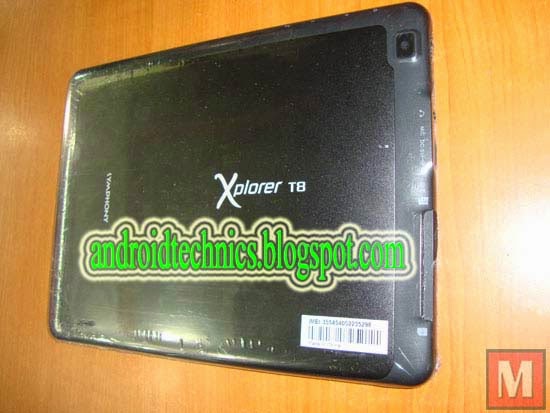
Symphony T8 Android Version 4 2 2 OFFicial Firmware Flash File Free Download
Symphony T8 Android OFFicial Firmware Flash File Free Download,Symphony T8 Custom Firmware Flash File Free Download,Symphony T8 Stock Fimrware Free Download,Symphony T8 Flash File Download Without Password
Subscribe to:
Posts (Atom)

